Overview
Problem
As AI becomes increasingly integrated into household devices, users are growing concerned that it operates as a "black box" —making decisions autonomously while keeping its reasoning hidden. This lack of transparency creates a barrier to trust, leaving users feeling disconnected from the very technology designed to support them.
Design Response
SoLight reframes AI as a co-pilot through a shared workspace where user routines and AI decisions coexist as visible, contestable events:
Energy Agenda — A shared calendar managed by both user and AI. User-created Lifestyle Modes, Situational Overrides, automated rules, and Agentic AI decisions all appear as tappable blocks on the same timeline.
Insight Cards — Every automated action displays a brief rationale (e.g., "Scheduled because grid rates drop at 2pm"), so users never have to guess the AI's logic.
Negotiated Control — Users can tap any AI decision to edit, override, or remove it, ensuring the system never acts beyond user consent.
Agent Interruption — When automated actions conflict, the system pauses and asks the user to clarify priority, keeping humans as the final decision-maker.


Initial Research / Problem Validation
Why is this problem important?
Turns out, most users don’t fear smart home technology—they fear the disconnection with AI and the feeling of losing control over it.

70%
of users fear that AI will take away too much control, making them feel vulnerable or "disconnected" from daily decisions.
46%
of these consumers express high trust in the companies behind those AI systems, underscoring a gap between adoption and confidence.
Research
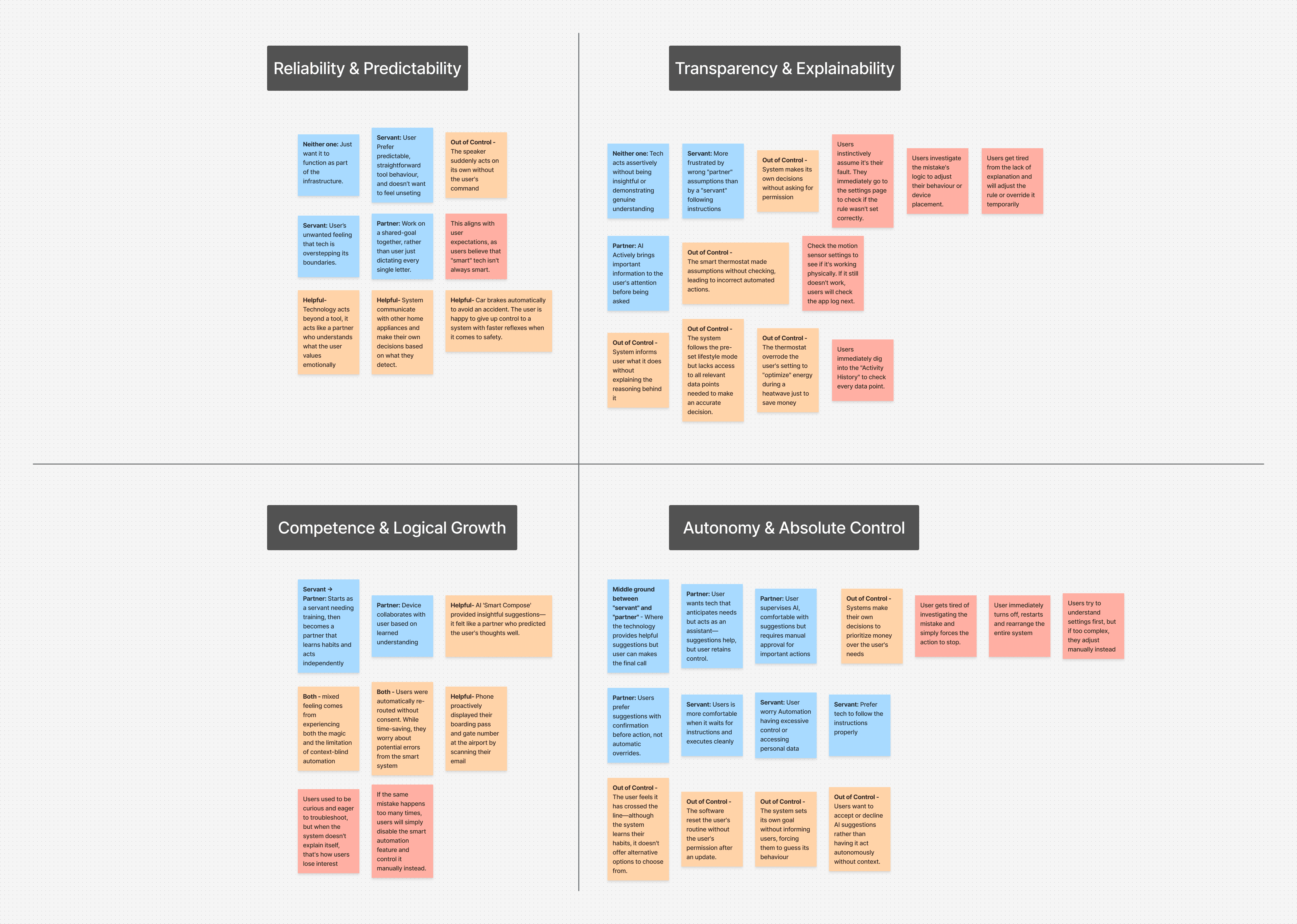
Interviews & Affinity Mapping
AI-driven solar apps are a thin market, I broadened recruitment to smart-home automation users.
I conducted 10 storytelling-led interviews, asking participants to reflect on past interactions with smart devices. The surfaced not just pain points, but the underlying values shaping how users envision a collaborative partnership with AI.
X 10
Interviewees
Research
Competitive Analysis
I analyzed three existing solar platforms — Tesla, Lunar Energy, and mySigen — examining how each handles automation, transparency, energy visualization, and user control.
A clear pattern emerged across all three: strong technical capability, weak human partnership. Each product optimizes autonomously without explaining its logic, creating the "Wall Effect" — a barrier between AI decisions and user understanding.

Proactive Automation:
AI manages battery discharge, pre-charges before storms, optimizes rates.
Aesthetic Minimalism:
Clean UI hides technical complexities.
Draggable Timeline:
Scrub forward to see AI's plan
Lack of Explainability:
The system shows "set-and-forget" automation without why.
Diminished Agency:
Limited user control or rule customization.
The "Wall" Effect:
AI decisions can feel opaque, creating user disconnection.
Tesla Energy
Real-Time Energy Flow:
Instant, intuitive visualization of power routing.
Smart Forecasting:
Auto-adjusts cycles based on rates and weather.
Rigid Control:
No customization or appliance prioritization.
Opaque Optimization:
AI doesn't explain charge/discharge logic or show its plan.
Binary Control:
Limited to toggles/sliders with no custom rules.

mySigen
AI-Powered Diagnostics:
One-click troubleshooting via "Sigen AI" virtual assistant.
Advanced Data Visualization:
Sankey diagram shows complex energy flows.
Steep Learning Curve & Cluttered UI:
Unintuitive terminology for AI-driven optimization modes and cluttered design make navigation difficult.
Silent Failures:
No error messages or explanations when system fails.
"Black Box" Optimization:
AI operates autonomously without explaining its logic or allowing user input.
Synthesis
Four Trust Levers
From the four value quadrants surfaced in interviews, four conditions emerged for users to trust AI in their home. Each became a design principle that directly shaped a feature in the final concept.
Visible Reasoning
The Insight: Users experience mental exhaustion trying to guess hidden AI logic.
The Design Response: Insight Cards that attach a clear, one-sentence rationale to every automated action so users never have to guess "why."
Reversible Decisions
The Insight: Users wanted final authority over significant decisions. Even when they preferred automation, they needed a clear path to step in and adjust.
The Design Response: Negotiated Control where AI decision can be tapped, edited, overridden, or removed.
Shared Authorship
The Insight: Users want to partner with the system. Their daily routines and the AI's logic needed to live in the same space, visible to each other.
The Design Response: Shared Energy Agenda where user-created events and AI decisions coexist as tappable blocks.
Human-Led Resolution
The Insight: When automated actions collide with user intent, users want to decide — not be informed after the fact.
The Design Response: Drives Agent Interruption — when actions conflict, the system pauses and asks the user to clarify priority.
Prototype & Iteration
Digital Wireframing to Interactive Low-Fi Prototype
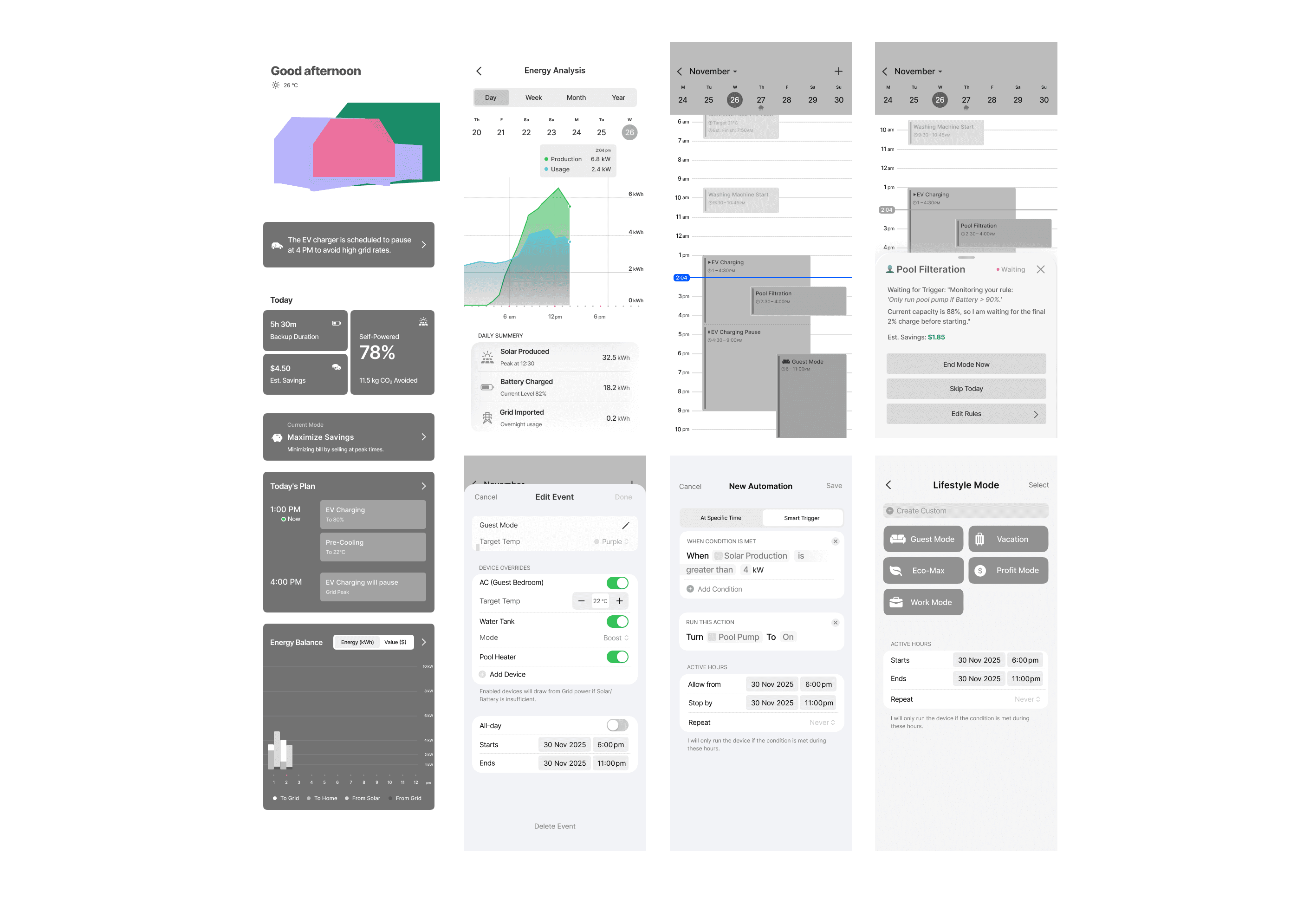
With the four trust levers established, I built an interactive low-fidelity prototype in Figma to translate strategy into tangible interactions.
The prototype covered the core flows:
Dashboard — at-a-glance energy status and key metrics
Energy Agenda — shared calendar with tappable AI decisions
Insight Sheets — rationale and override options for each AI action
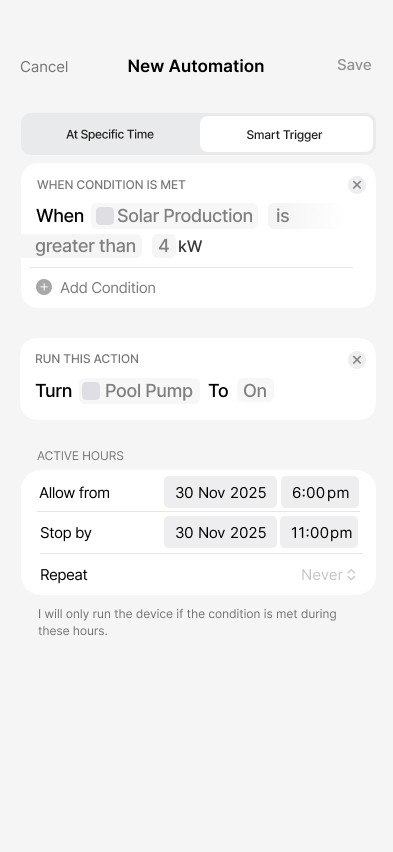
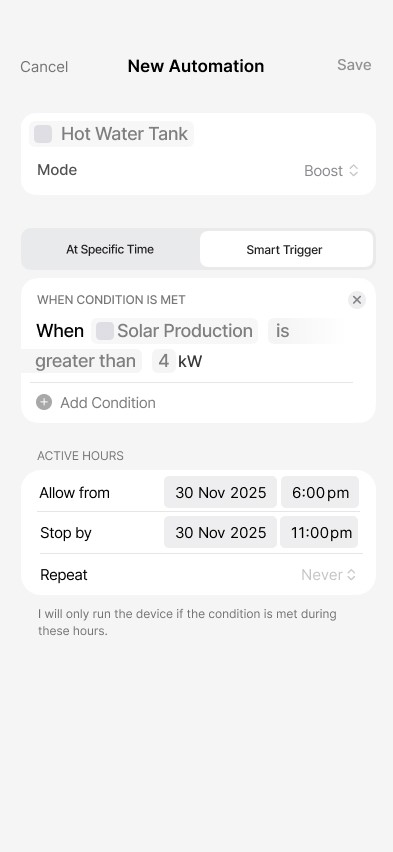
Custom Automation — user-created rules and lifestyle modes
Prototype & Iteration
Testing & Findings
I ran 5 moderated usability sessions with smart-home users, using a task-based think-aloud protocol across the dashboard, energy agenda, and automation flows.
The sessions revealed 7 friction points across visualization, information structure, and how well the system matched users’ mental models. I prioritised the issues that most affected the project’s trust goal, strengthening user understanding and control.
Three high-impact iterations emerged as priorities:
High-Fidelity Concept
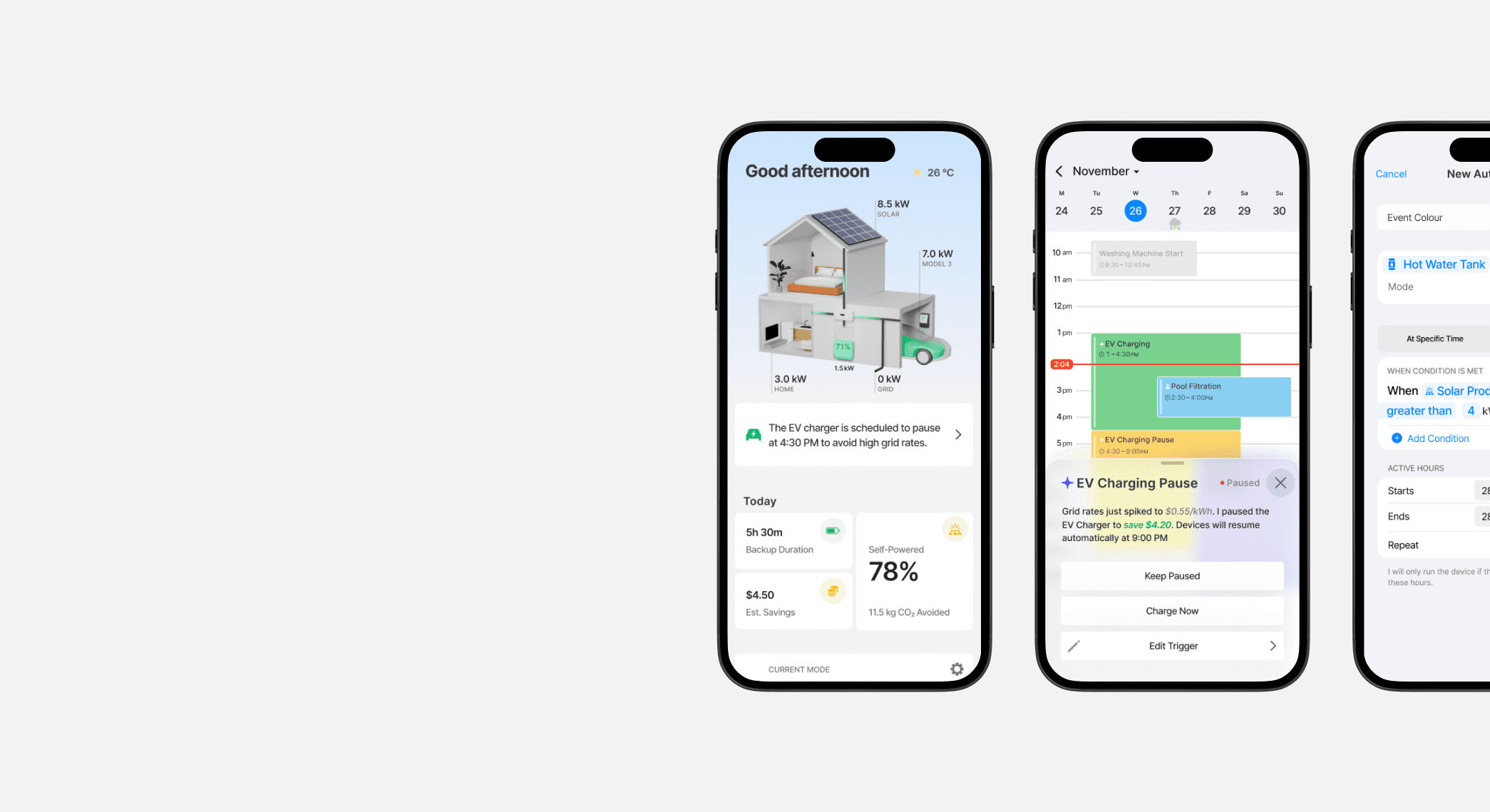
The Clarity-First Dashboard
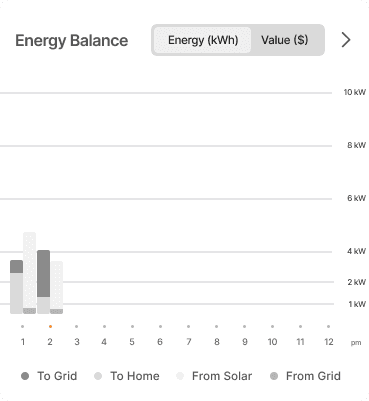
The homepage dashboard prioritizes at-a-glance scanning by keeping only essential information above the fold:
House graphic displaying energy flow status
Key metrics
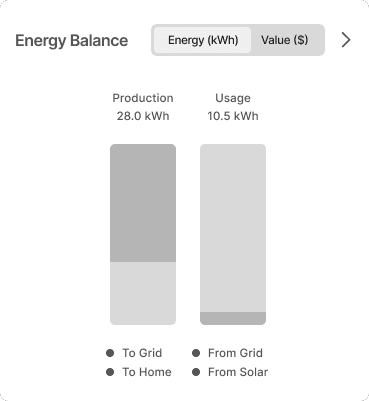
Energy Balance
Upcoming scheduled tasks
Users get what they need without scrolling or interpreting complex data.
Delivers: Visible Reasoning
Strategic Intent and Shared Execution
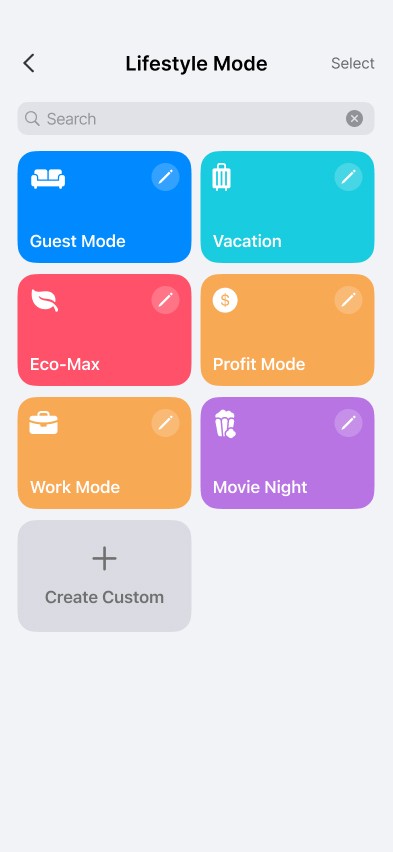
Users define high-level energy goals — Maximize Savings, Maximize Energy Independence, or Minimize Carbon Footprint, that serve as the primary instructions for the AI's autonomous behaviour.
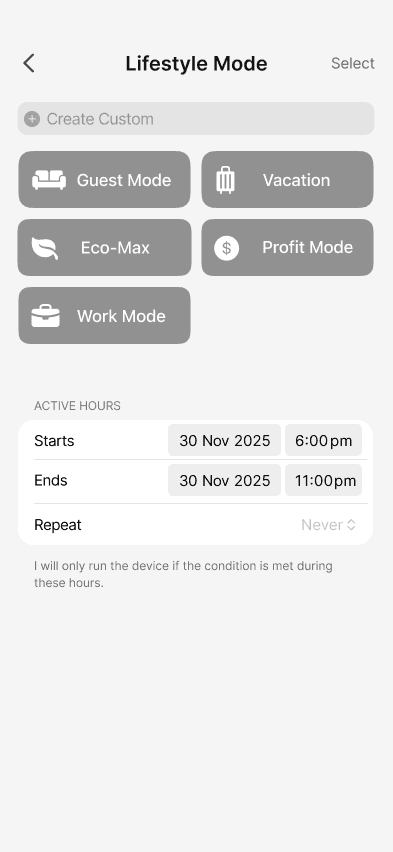
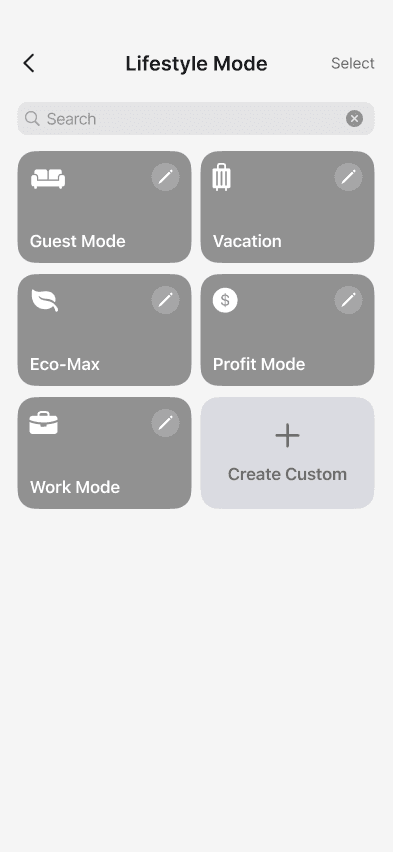
Users can manually create Lifestyle Modes and One-Touch Situational Overrides, save them as reusable presets, and define automated rules using If-This-Then-That conditions.
This flexibility allows them to balance long-term energy strategies with real-time lifestyle changes.
Delivers: Shared Authorship
The Shared Workspace: The Energy Agenda and Negotiated Control
The Energy Agenda is a shared calendar managed by both user and AI, where user routines and AI decisions coexist.
It displays user-created events — Lifestyle Modes and Situational Overrides, alongside automated rules and Agentic AI decisions.
Each event appears as a tappable block. Tapping opens an Insight Sheet that explains the reasoning and offers options to negotiate or override.
Delivers: Shared Authorship + Reversible Decisions
Conflict Resolution and Human Oversight
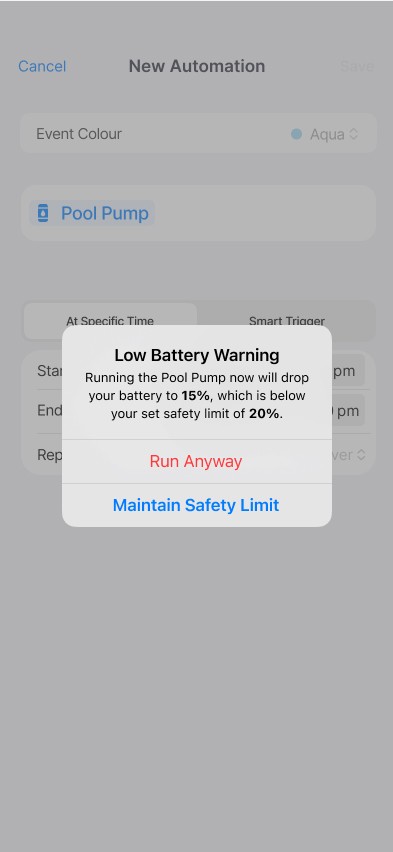
When two energy actions overlap or rules conflict, the system identifies the issue and triggers an Agent Interruption to resolve the logic conflict.
This pop-up dialog explains the conflict and asks the user to clarify their priority. This interaction model keeps the user in control and ensures they remain the final decision-maker whenever automated actions collide.
Delivers: Human-Led Resolution
Storm Guard & Proactive Protection
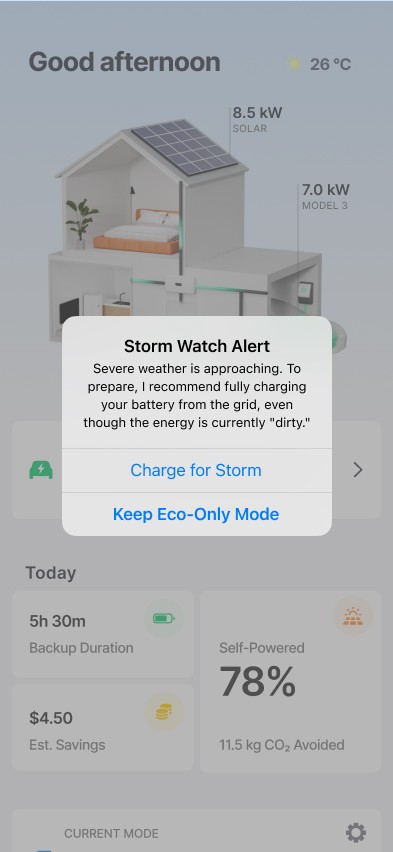
The system monitors severe weather alerts to automatically generate a protective schedule within the Energy Agenda.
This proactive logic prepares the home for potential outages by prioritizing battery storage before extreme conditions arrive.
Delivers: Visible Reasoning + Human-Led Resolution
Designing With AI, About AI
Entering renewable energy without domain knowledge was challenging. I used AI tools to rapidly understand home energy management. Consulting AI throughout ensured my concepts remained grounded in near-term feasibility rather than speculative.
Designing for Inclusion
I was initially drawn to visually striking designs with bold colours and varied typography—but the options felt overwhelming. I returned to fundamentals, studying accessibility-focused design guidelines and the reasoning behind each decision. This shifted my focus from aesthetics to inclusion.
Onboarding and Trust Over Time
Design how users first encounter and learn to trust the AI. Trust builds gradually—I'd explore how the system introduces automation, earns confidence through early wins, and adjusts autonomy based on user comfort.
Multi-Stakeholder Energy Profiles
Explore how the system handles conflicting preferences between household members. Energy decisions often affect everyone. A future iteration could address shared control, conflicting preferences, and role-based permissions.