Overview

Research

Ideation

Paper Prototype

High-Fidelity Design

Doodle Dash

Doodle Dash

PROJECT

Self-directed project

KEY CONTRIBUTIONS

UX Research

Interaction Design

Motion Design

Interaction Design

TOOL

Spline

Adobe Premiere

Adobe CC Suite

Overview

Problem

30%

30%

of children experience difficulties with handwriting development

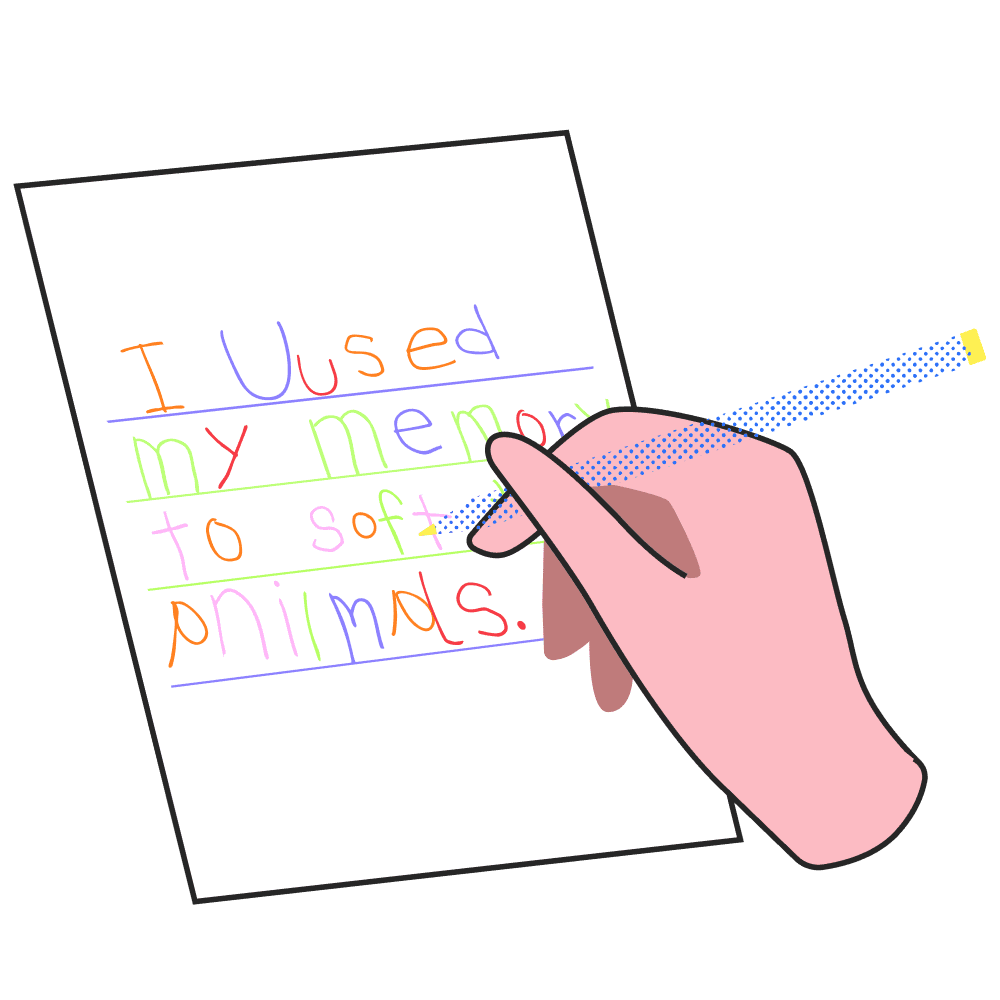
Traditional handwriting practice workbooks and digital apps show what letters should look like but fail to provide clear instructions on letter formation sequences, reinforcing bad writing habits in children.

Project Vision

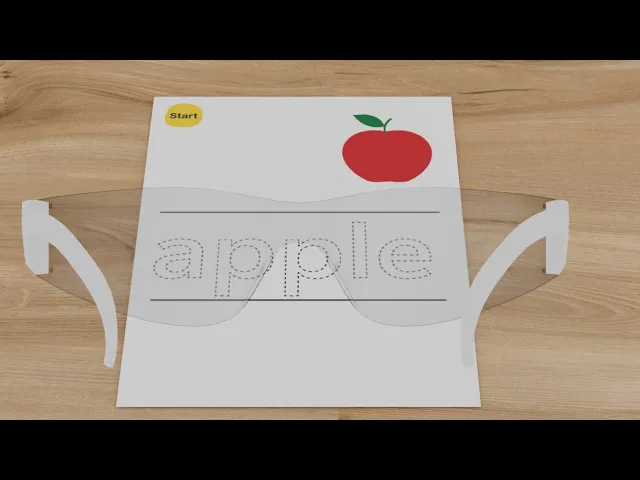
This project reimagines handwriting practice by augmenting traditional workbooks with AR technology. By overlaying visual guides directly onto children's writing surfaces and providing immediate feedback on stroke order, direction, and form, young learners can build correct muscle memory while maintaining motivation through gamified practice sessions and rewards.

The final MVP product — Concept Video

Core Features

Physical + Digital

Preserves pencil-on-paper benefits while adding interactive digital guidance overlay

Real-time AR Guidance & Feedback

Step-by-step visual guidance with instant feedback

Gamified Learning

Story missions and 3D rewards transform repetitive practice into engaging, educational adventures

Research

Competitive Analysis

To understand the current landscape and identify opportunities, I analyzed existing solutions — from traditional workbooks to the latest digital apps, examining their approaches to handwriting instruction and identifying their limitations.

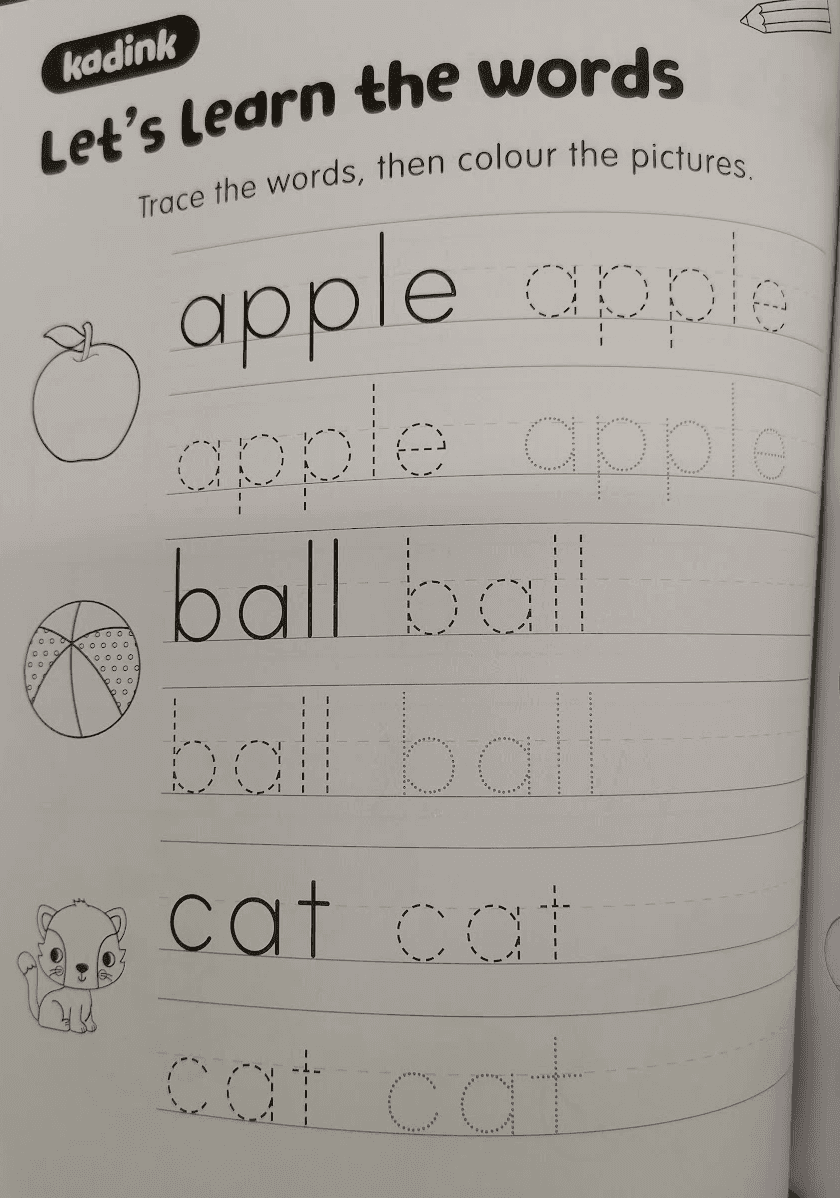
Handwriting workbook

Visual-word association:

The illustration demonstrates the alphabet in context

Lack of guidance on stroke sequence and formation

No stroke validation & No error correction
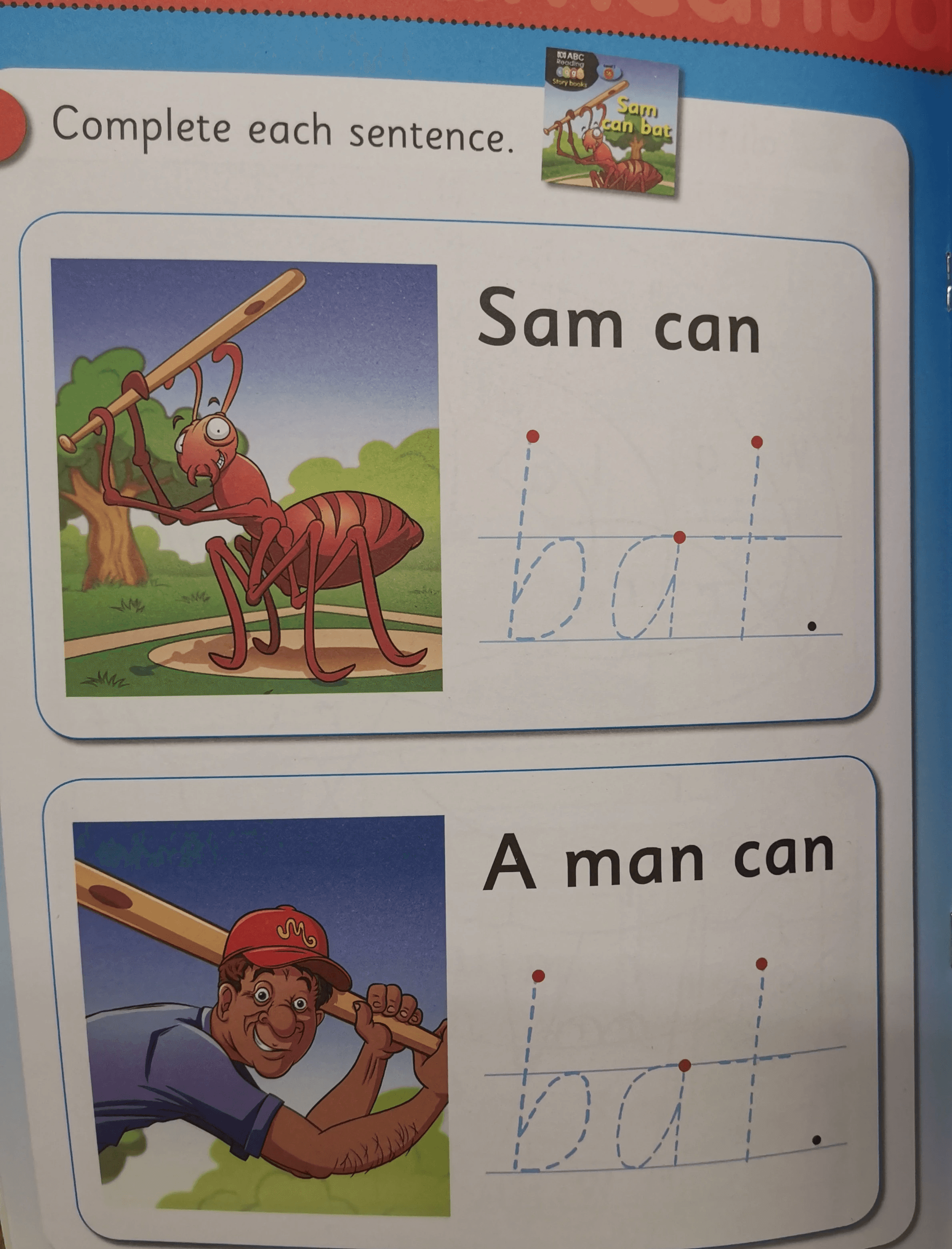
Handwriting workbook

Clear starting points:

Indicate the starting point for forming the alphabet

Story integration

Incomplete guidance for letters requiring multiple strokes

Overly complex scenes:

Illustrations feature distracting elements beyond the alphabet that may confuse learners.
Handwriting practice app

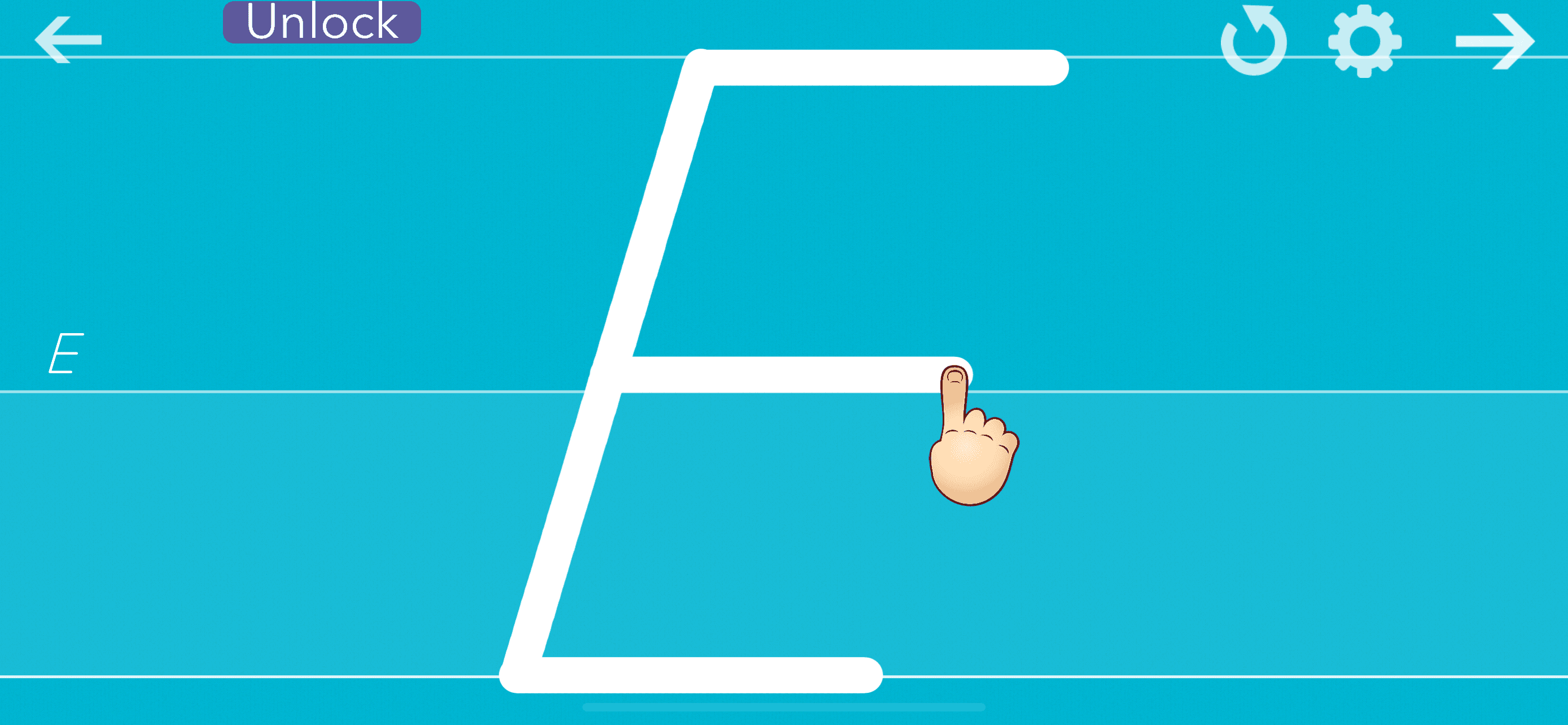
Animated instructions on stroke direction, sequence, and letter formation

Immediate feedback when incorrect letter formation is traced

Weak muscle memory formation:

Digital handwriting on touchscreens limits the development of muscle memory for letter formation

Animated instructions only play once, making it difficult to remember

Research

Contextual Observation

To gain insights into the target audience, I conducted observational usability testing with my preschool-age cousin. I watched how she interacted with both traditional workbooks and a digital app, documenting her behaviors, facial expressions, and verbal feedback throughout the experience.

#1 Percieve dotted letters as graphics

#1 Percieve dotted letters as graphics

The user connected dots in random, non-standard ways, misinterpreting the dotted or dashed outlines of letters that were meant to be traced.

The user connected dots in random, non-standard ways, misinterpreting the dotted or dashed outlines of letters that were meant to be traced.

#2 Illustration engagement

#2 Illustration engagement

The user was drawn to the associated illustrations and enjoy engage with them, both by coloring and through verbal interaction.

The user was drawn to the associated illustrations and enjoy engage with them, both by coloring and through verbal interaction.

#3 Stroke Direction Guessing

#3 Stroke Direction Guessing

The user formed letters backwards without any awareness of incorrectness.

The user formed letters backwards without any awareness of incorrectness.

#1 Digital rushing without resistance

#1 Digital rushing without resistance

On the app, the user rushed through forming letters without receiving the physical resistance feedback of paper.

On the app, the user rushed through forming letters without receiving the physical resistance feedback of paper.

How might we help young learners master letter formation with interactive guidance and real-time feedback to develop correct handwriting skills?

need

user

reason

How might we help young learners master letter formation with interactive guidance and real-time feedback to develop correct handwriting skills?

Ideation

Features Mapping

The following framework shows how research insights directly informed design decisions, ensuring each AR feature addresses specific pain points observed during user testing.

PRINCIPLES

AR FEATURES

Guide proper technique

Every interaction must teach correct stroke sequence and direction

  • Step-by-step directional arrows

Preserve tactile experience

Maintain pencil-on-paper benefits while adding digital guidance

  • AR overlay on physical paper

Provide immediate feedback

Real-time positive and corrective guidance

  • Green traces for correct strokes

  • Red alerts for errors

  • Celebration animations

Leverage visual interest

Use engaging & interactive graphics to sustain motivation

  • Gamified story-based missions

PRINCIPLES

AR FEATURES

Guide proper technique

Every interaction must teach correct stroke sequence and direction

  • Step-by-step directional arrows

Preserve tactile experience

Maintain pencil-on-paper benefits while adding digital guidance

  • AR overlay on physical paper

Provide immediate feedback

Real-time positive and corrective guidance

  • Green traces for correct strokes

  • Red alerts for errors

  • Celebration animations

Leverage visual interest

Use engaging & interactive graphics to sustain motivation

  • Gamified story-based missions

Research

Storyboard

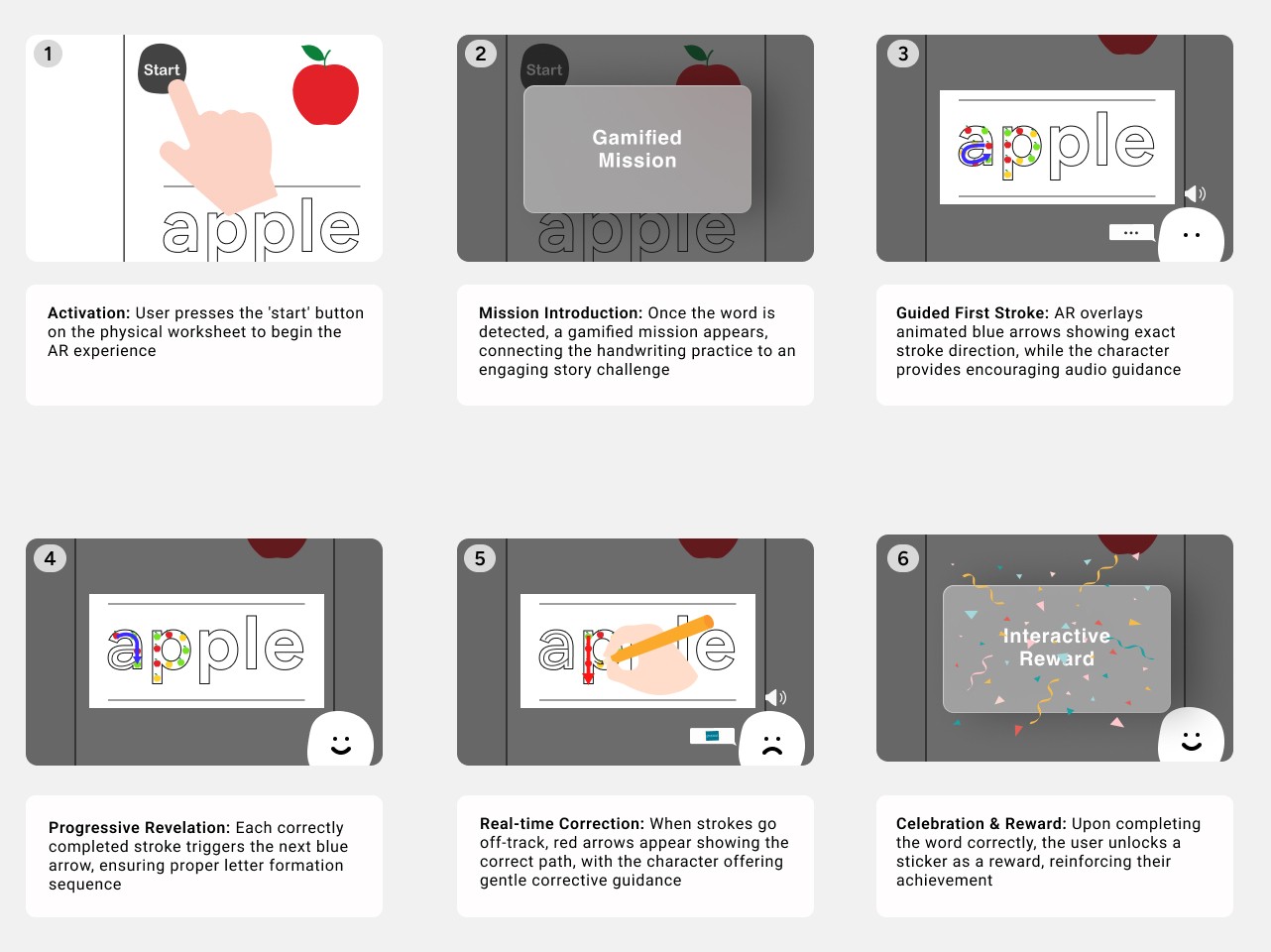
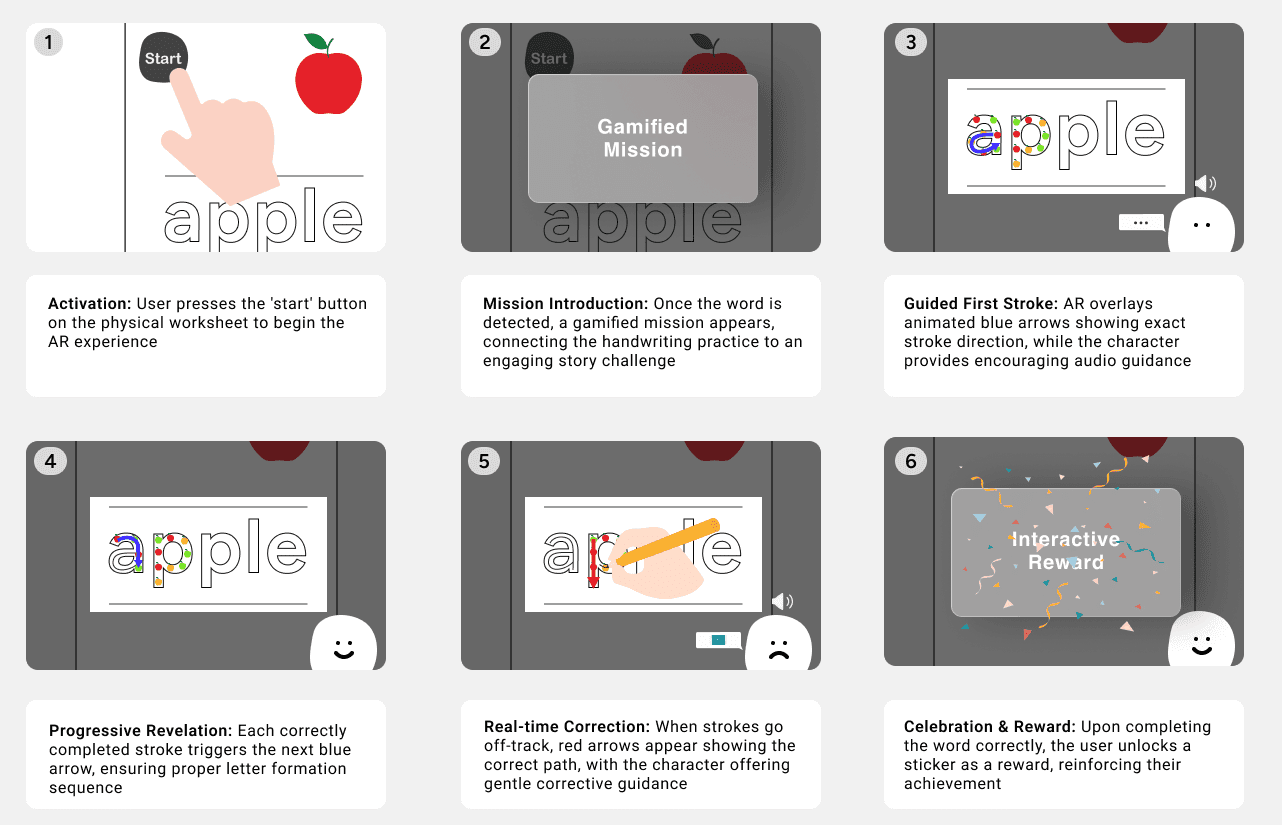
This storyboard illustrates a user's journey through one practice session from a first-person perspective, helping me immerse myself in the user's situation and better understand their interactions with the product.

Testing & Iteration

Low-Fidelity Prototype

I created a simplified prototype and tested it with the user to validate core interactions. This rapid testing phase helped us quickly make changes and get feedback, revealing critical insights for further optimization.

Animated Visual Cues

Key Discovery: Users initially overlooked or misinterpreted static instructional indicators, spending extra time decoding what actions to take.

Before:

Before:

Static, ambiguous symbols (requiring interpretation)

After:

After:

Animated elements with gradient and fade effects show the intended action—arrows indicate stroke direction and sequence

Educational Rewards

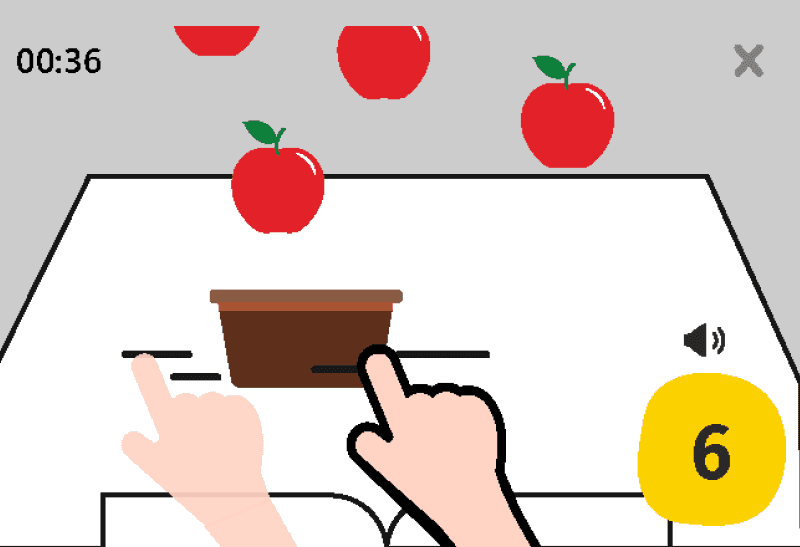
Key Discovery: Users enjoyed the apple-catching mini-game but showed no improvement in letter-word association.

Before:

Before:

Disconnected entertainment (catching falling apples)

After:

After:

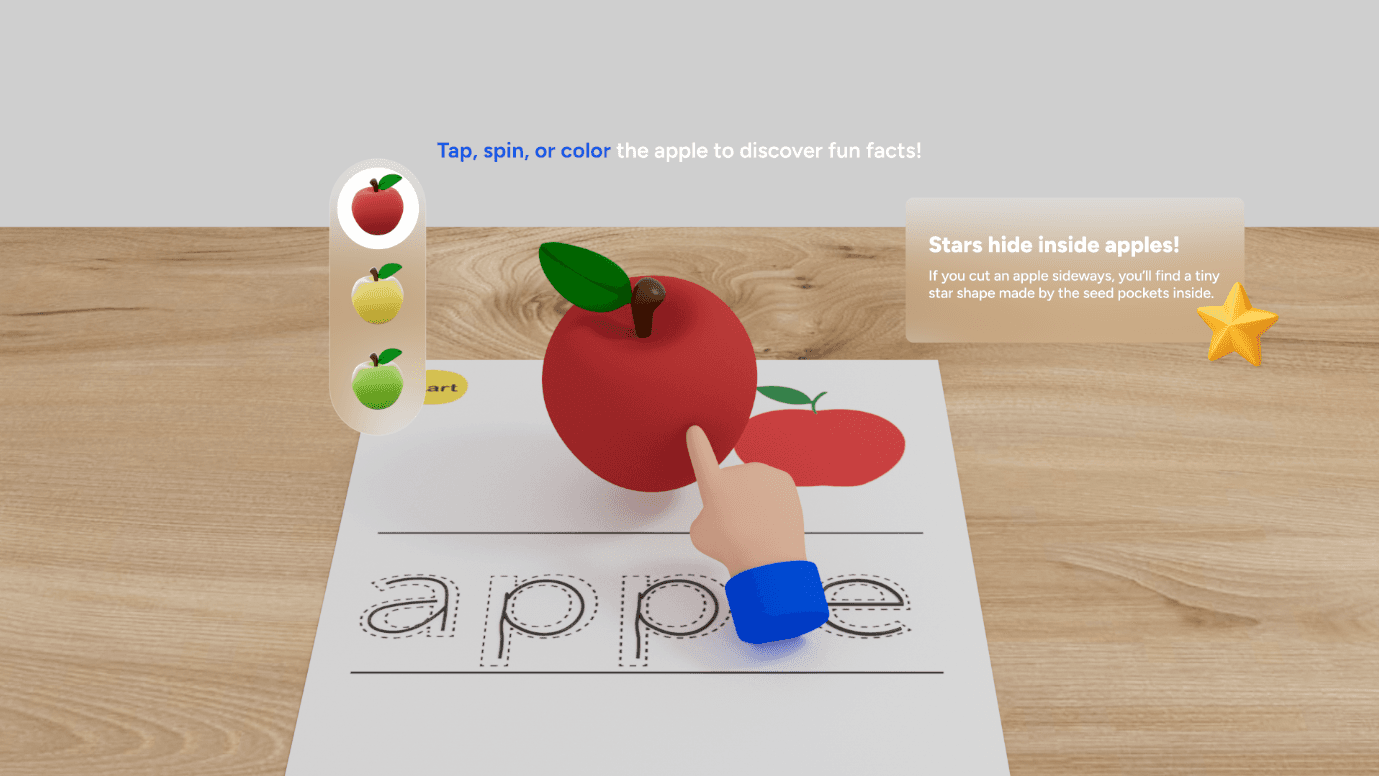
Learning-integrated reward—children explore an interactive 3D apple while hearing fun facts, strengthening the connection between letter, word, and object concept

Animated Visual Cues

Key Discovery: Users initially overlooked or misinterpreted static instructional indicators, spending extra time decoding what actions to take.

Before:

Static, ambiguous symbols (requiring interpretation)

After:

Animated elements with gradient and fade effects show the intended action—arrows indicate stroke direction and sequence

Educational Rewards

Key Discovery: Users enjoyed the apple-catching mini-game but showed no improvement in letter-word association.

Before:

Disconnected entertainment (catching falling apples)

After:

Learning-integrated reward—children explore an interactive 3D apple while hearing fun facts, strengthening the connection between letter, word, and object concept

Testing & Iteration

Low-Fidelity Prototype - Testing & Iteration

I created a simplified paper prototype and tested it with the user to validate core interactions. This rapid testing phase helped us quickly make changes and get feedback, revealing critical insights for further optimization.

PROJECT

Self-directed project

TOOL

Spline, Adobe Premiere, Adobe CC Suite

CONTRIBUTIONS

UX Research

Interaction Design

Motion Design

Interaction Design

Doodle Dash

Create a free website with Framer, the website builder loved by startups, designers and agencies.